


Enter your departure and destination airports
Type the ICAO codes of your departure and destination airports in the RAW FPL field, separated by commas. The app will automatically identify the departure and destination. You can also enter the complete route at once — one point per comma-separated entry, in flight order.
Add intermediate waypoints
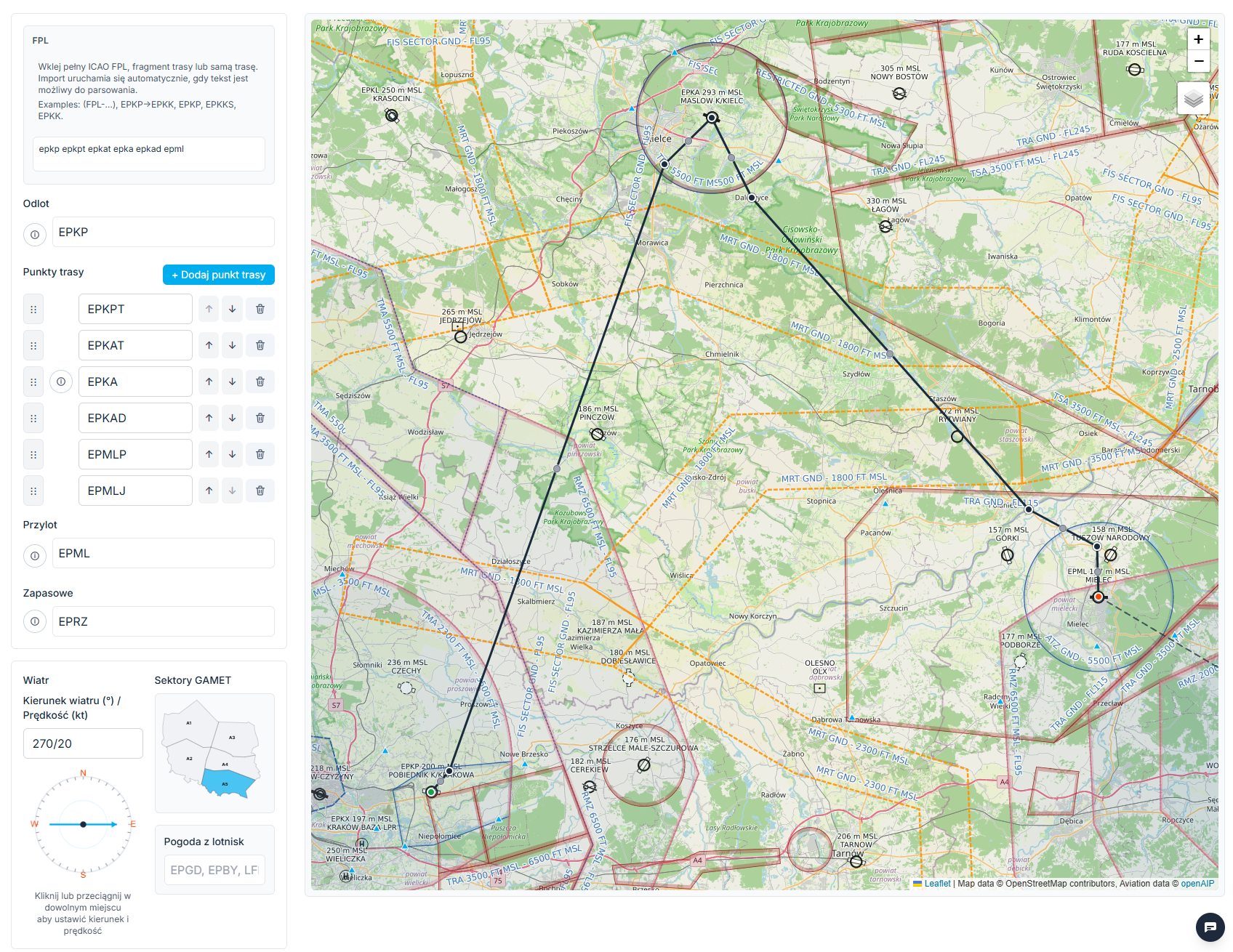
Add waypoints as needed: click a point on the map and choose "Add to plan", type an ICAO code manually in the Waypoint field, or drag the route handle to a new location on the map. Reorder waypoints using the up/down arrows or drag and drop.
Add an alternate airport and check airport details
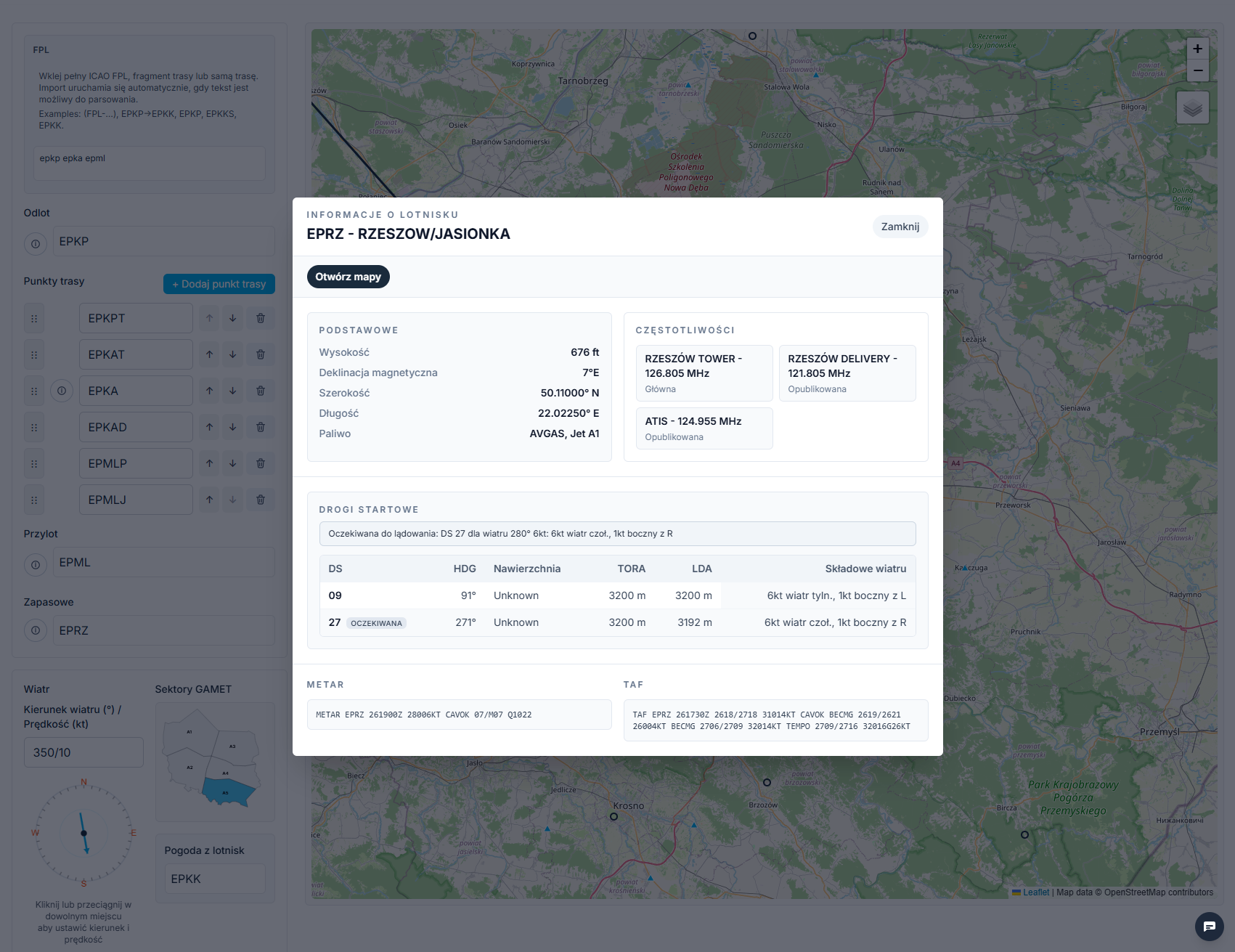
Enter the ICAO code of your alternate airport in the Alternate field. Click the information icon next to any airport to see runway data, the expected landing runway given the current wind, radio frequencies, and the nearest METAR source.
Configure aircraft, weight and balance
Enter your aircraft registration or type — speed and mass data will populate automatically. Set your cruise altitude and airspeed. Open the Weight and balance section, enter the number of passengers and total mass. When everything is set, click Calculate route.
Review the Operational Flight Plan
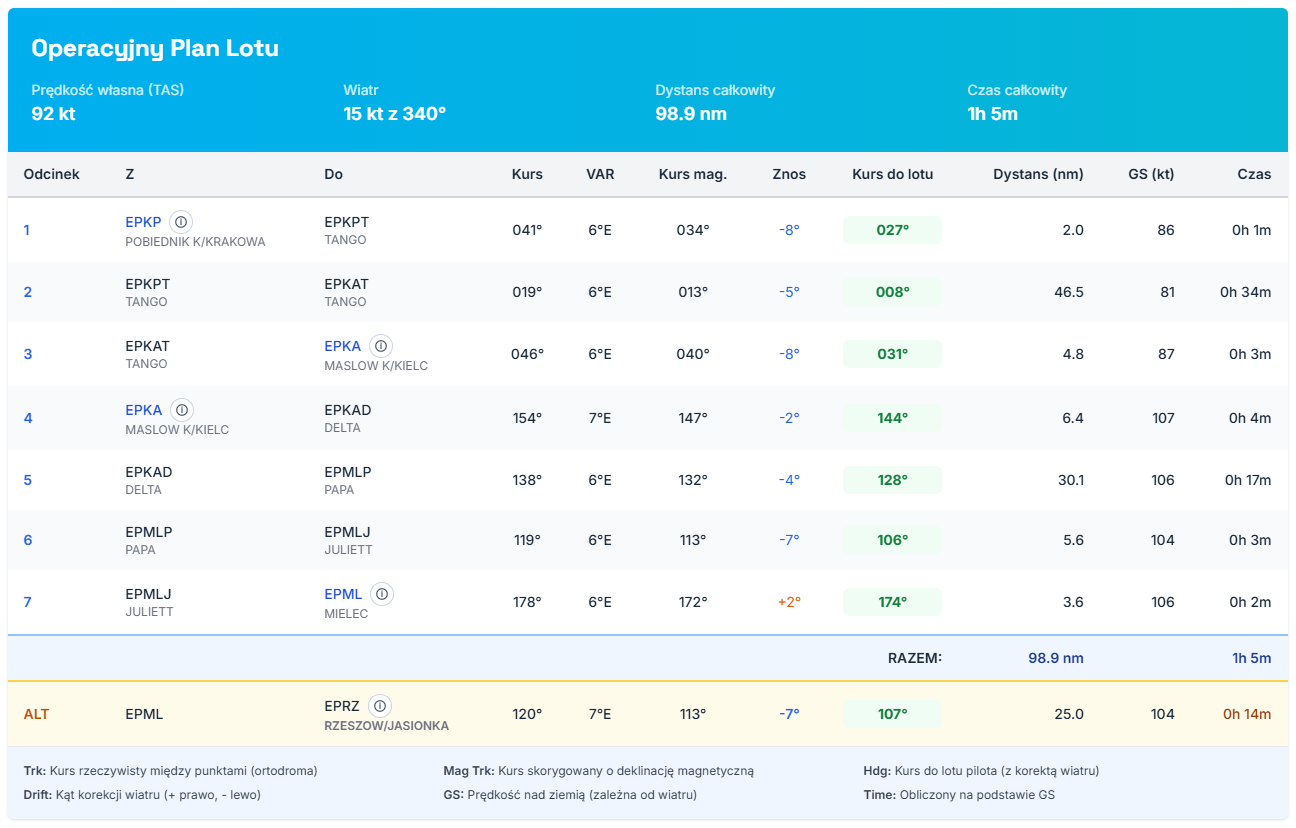
The result is a complete OFP with magnetic headings, leg times, and fuel burn. In the Fuel planning section you can add reserve fuel. Generate a PDF with all documents or copy the ICAO FPL text to file with your ATC authority. If you have an account, you can also save the route for later.
Check the Go/No-Go assessment
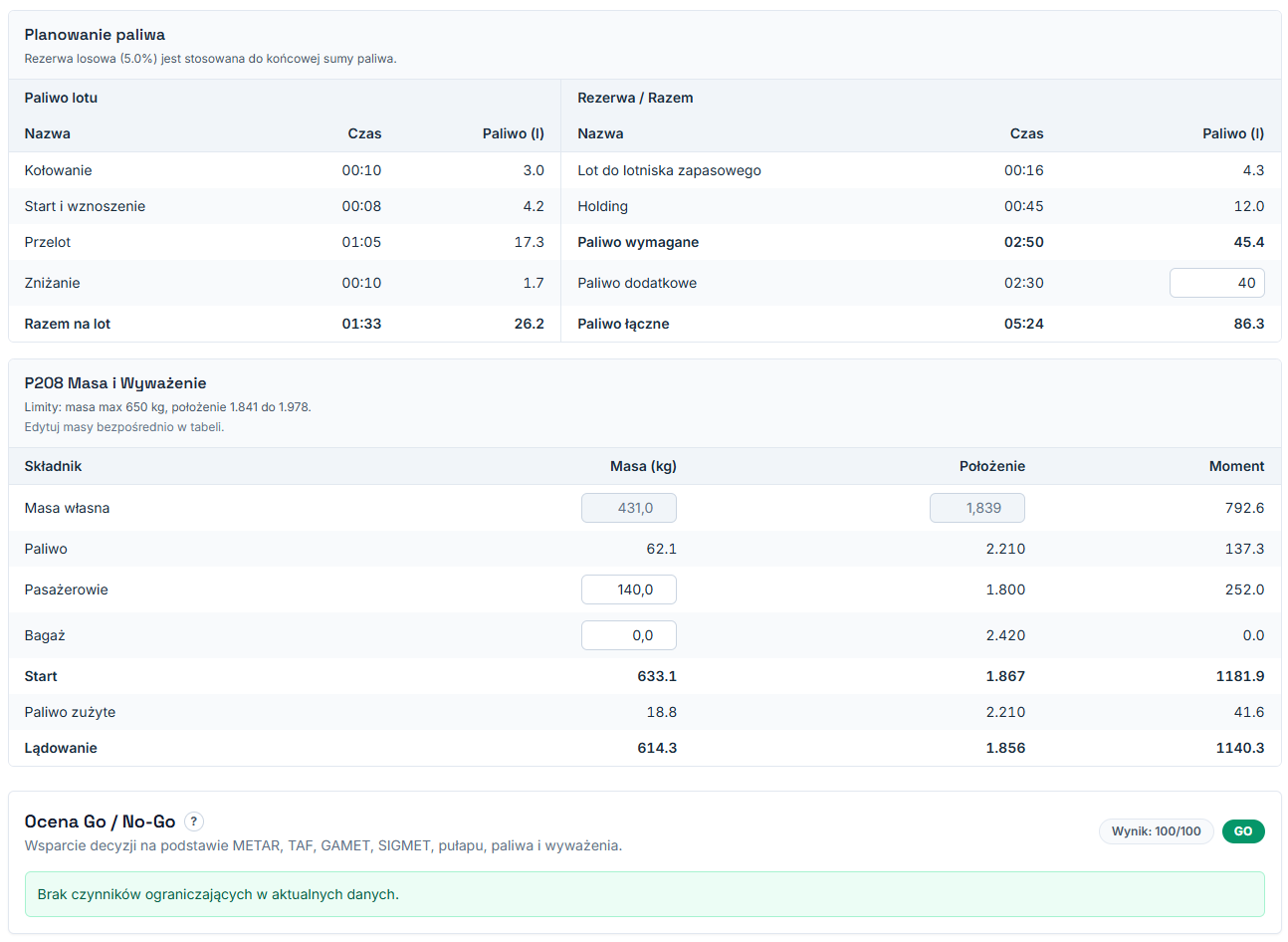
The app automatically evaluates flight readiness based on weather conditions, fuel reserve, and compliance with mass limits. A green indicator means no issues. Yellow or red flags an area that needs a second look before you commit to the flight.
Review the METAR and TAF briefing
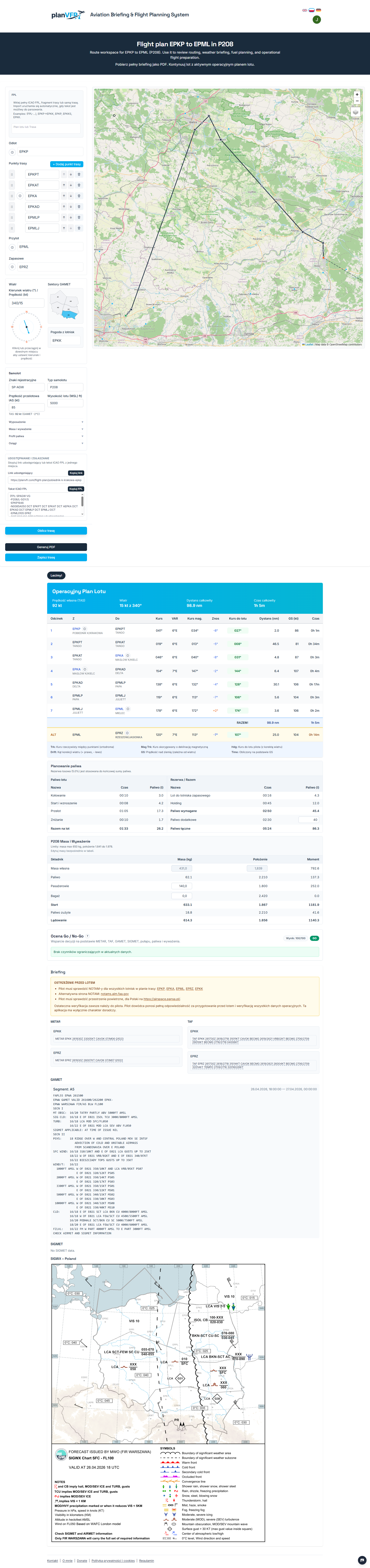
Finally, review the full briefing with decoded METAR and TAF reports for your departure, destination and alternate airports. Before making your go decision, confirm that conditions are within your personal minima and consistent with your plan.